Standardize Bob's behavior
Standardize Bob's behavior across your team using project-level rules files that tell Bob to document its code and remember its previous actions.
Bob rules are plain text files that define instructions that are applied to every Bob conversation. Bob stores rules as files in a designated folder within the project or at the global user level, and automatically injects the content of every rules file into each conversation across all modes. Rule injection lets teams and individual developers enforce coding standards, communication preferences, and workflow constraints without repeating instructions in every prompt.
Project-level rules in galaxium-travels/.bob are version-controlled alongside your code, which means:
- Rules propagate automatically to all team members who clone the repository.
- Changes to rules go through the normal code review process.
- The rules history is tracked in git.
In this tutorial, you tell Bob to speak concisely, document its code, and remember its previous actions by adding rules files in the .bob directory. Because you will include these files in version control, Bob will apply them across your team.
Prerequisites
To complete this tutorial, you need the following:
- If you do not already have it, clone the Galaxium Travels demo code. The clone command also checks out the
bob-learning-path-branchthat contains the code you use in the tutorials.
git clone -b bob-learning-path-branch https://github.com/IBM/galaxium-travels- Bob IDE with the Galaxium Travels demo code open
- Complete the Start a project tutorial to create the
.bobfolder. - While not required, consider doing the Quickstart tutorial to familiarize yourself with Bob's interface and features.
- Python or Python 3. You can download Python from the official website.
Create a custom Bob rules file
The Bob /init command creates a .bob folder with AGENTS.md files for each Bob mode which directs the behavior of Bob in each mode. Create your own custom rules by adding a new file to the rules folder. Bob will read the content of the rules file, which means that the instructions you add will apply to all interactions with Bob.
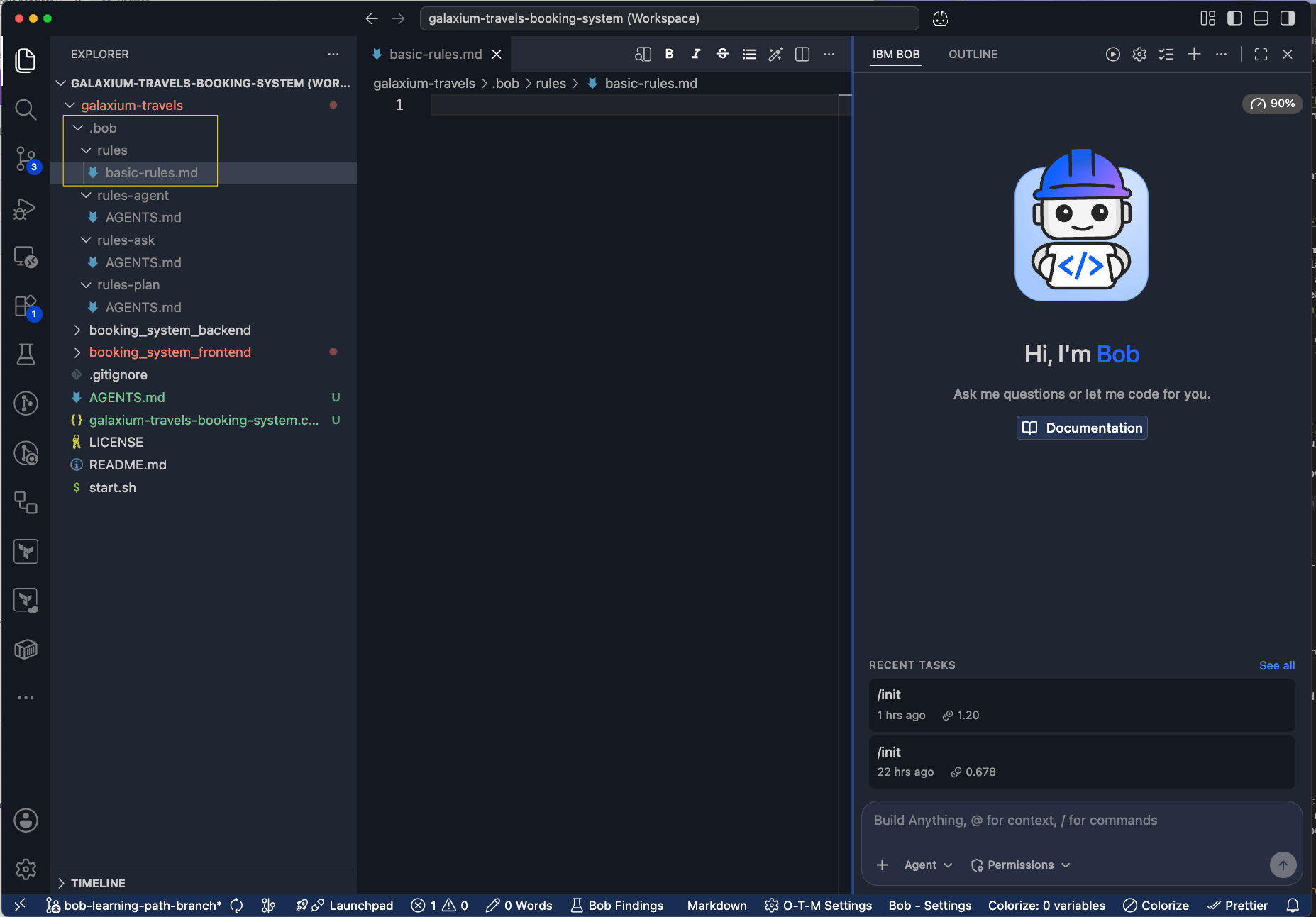
Create the rules folder
If a rules folder does not already exist in .bob, create one.
Create custom Bob rules
In the basic_rules.md file, create custom rules by adding the following text:
Add a documentation standard rule
Always include concise JSDoc strings for every public function.The documentation standard rule ensures that Bob generates consistent documentation whenever Bob writes or modifies public functions, regardless of the task.
Add a communication style rule
Be very concise in your wording.The communication style rule controls how Bob phrases responses and comments, which is useful for teams that prefer terse, direct output over detailed explanations.
Add an internal monologue rule
Write a summary of every interaction into the folder `internal-monologue/`.
Name the file starting with a timestamp, followed by a concise description of the interaction.
Example: 2026-01-15_update-readme.md
The internal monologue produces a persistent log of everything Bob has done across all conversations.
The benefits of the internal monologue include the following:
- Audit trail: A record of what changes Bob made and when.
- Cross-session continuity: Bob can reference the internal monologue folder in future conversations to understand prior work.
- Team transparency: In shared repositories, the monologue shows what different team members have done with Bob.
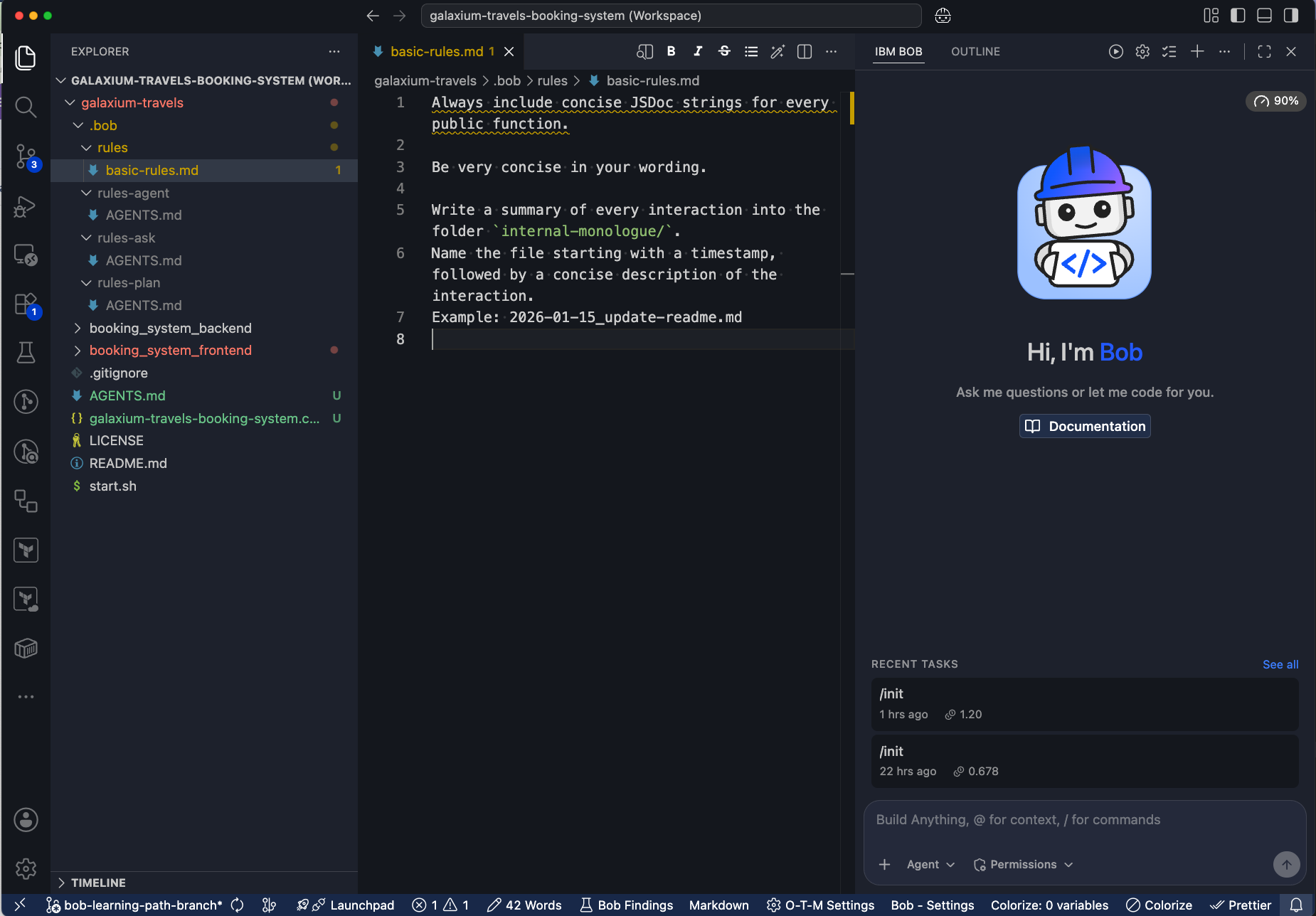
Once you add all the rules, your basic_rules.md file will look like the following:
Test the rules
Open the agentic chat sidebar, switch to Code mode, and run the following prompt to have Bob edit the README.md. Bob may make suggestions such as enhance with better troubleshooting, complete overhaul, or fix inaccuracies. You can pick the suggestion that best fits your vision for the README.
Update the readmeBob updates the README.md and creates a folder called internal-monologue and creates a file that shows you the updates it made to the README.

Next steps
In this tutorial, you learned how Bob rules let you define persistent instructions that apply across every conversation and mode. Project-level rules are version-controlled alongside your code, so your team shares the same standards automatically. The internal monologue pattern gives you an audit trail of Bob's actions across all sessions.
Advance to Add Bob capabilities to learn about creating custom modes that define specialized personas with tailored instructions and specific tool access.
Add a custom mode
Extend Bob's job capabilities by creating a custom product manager mode with a tailored role definition, behavioral instructions, and deterministic tool access constraints.
Inspect an unfamiliar codebase
Use IBM Bob to rapidly understand an unfamiliar application, such as its purpose, project structure, architecture, tech stack, key components, test coverage, and deployment model. You can do this without relying on outdated documentation or waiting for teammates.