Bobcoins
Bobcoins are the consumption-based billing metric used for Bob plans. They provide a transparent, predictable way to measure and bill for your Bob usage.
Bobcoins are resource units that measure your consumption of Bob's AI capabilities. Each action you complete with Bob, such as generating code, analyzing files, or running commands, consumes a number of Bobcoins based on the computational resources required.
Base allocation
Your plan determines your allocation of Bobcoins.
Each individual plan includes a monthly allocation of Bobcoins. The following table states the amount of Bobcoins included with each plan:
| Plan | Monthly Bobcoins included |
|---|---|
| Free trial | 50 Bobcoins |
| Pro | 50 Bobcoins |
| Pro+ | 180 Bobcoins |
| Ultra | 1000 Bobcoins |
- Your Bobcoin allocation resets at the start of each billing cycle.
- Pay-as-you-go overage system: You only pay for what you use beyond your base allocation.
Users with an Enterprise plan can purchase Bobcoin packs with the following details:
- Amount: 1,000 Bobcoins per pack.
- Cost: $500 USD per pack.
- Quantity: Purchase as many packs as you need.
Bobcoins from packs expire 1 year after the purchase date.
To purchase Bobcoin packs for your Enterprise plan, contact your IBM Sales representative.
Bobcoins vs. tokens
Understanding the relationship between tokens and Bobcoins helps clarify why IBM uses Bobcoins as the billing metric instead of raw token counts.
While Bobcoins measure your billing usage, the underlying AI models consume tokens, which are the fundamental units of text processing used by language models.
- Tokens: The raw units of model usage. Tokens represent pieces of text, such as words and characters, that the AI model processes. Every request to the model consumes input tokens, such as your prompt and context, and output tokens, which are Bob's responses.
- Bobcoins: IBM's billing metric that abstracts token usage into a predictable cost structure. One Bobcoin represents a standardized amount of computational resources, which includes token usage across different models and operations.
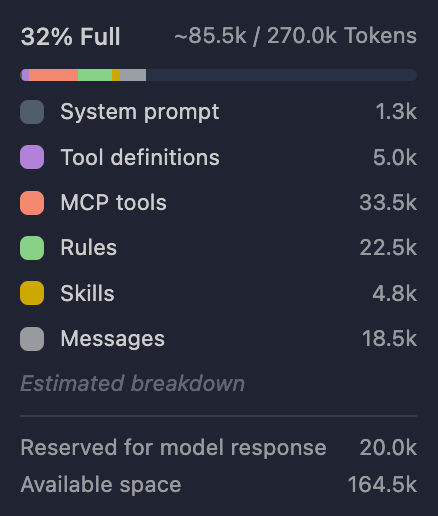
Since different AI models have varying token costs and processing requirements, Bobcoins provide a unified billing metric that simplifies cost prediction across all Bob operations, regardless of which underlying model is used.
You do not need to track tokens directly, because Bob automatically converts your model usage into Bobcoins for transparent billing. Different models and operations might consume tokens at different rates, but Bobcoins give you a consistent way to understand and predict your costs.
Overage
You can optionally enable an overage system to pay for more Bobcoins as you use them beyond your monthly allocation.
Enabling overage
Once overage is enabled, you cannot disable it until the month ends.
To enable overage:
Navigate to the Subscription tab on the Bob Administration page.
Click Edit.
Select or enter the overage limit you want to set. Click Save.
The value you configure represents the overage limit measured in Bobcoins. Your total available spending capacity equals your plan limit plus your overage limit.
Overage behavior and restrictions
Once overage is enabled for the current billing month, the following restrictions apply:
- Monthly reset: The overage toggle automatically resets to OFF at the start of each new month.
- Manual re-enablement: You must manually re-enable overage each month if you want to continue using overage.
- Adjustable limits: After enabling overage, you can adjust the Bobcoin overage limit by either increasing or decreasing the amount at any time during the month.
Overage billing
- Rate: $0.50 USD per Bobcoin.
- Automatic billing: Overages are automatically added to your monthly bill.
How it works
Enterprise admins set a maximum overage amount in pack increments, allowing subscription members to consume Bobcoins from a shared pool. Each overage pack contains 1,000 Bobcoins at $550 USD per pack. Bobcoin packs acquired with the overage system cost 10% more.
Setting overage limits
To enable overage for your organization:
Navigate to the Subscription tab on the Bob Administration page.
Set your maximum overage amount in pack increments. For example, 5 packs allow up to 5,000 additional Bobcoins for your organization.
Toggle overage on to allow members to access the overage pool.
Once overage is enabled, you cannot disable it until the month ends.
Member consumption
When overage is active, all subscription members in your organization can use Bobcoins up to the admin-set limit. The overage pool is shared across your organization; each member's consumption draws from the total limit you configure.
Monitoring your usage
You can track your Bobcoin usage and remaining budget in several ways:
- Gauge component: Hover your cursor over the gauge component located in the top-right corner of the Bob panel to see your current usage.
- Settings page: View detailed account information and usage statistics in Settings → General tab.
- Bobalytics: Use Bobalytics to track your usage patterns over time.
Signing in
How authentication works in IBM Bob, including IBMid login, SSO with a company identity provider, and what to expect when your organization moves to single sign-on.
API keys
Authenticate Bob for automation workflows without browser-based sign-in. Available for trial and paid plan users. Manage keys individually or as an admin across your instance.