Welcome to IBM Bob
IBM Bob is an AI SDLC (Software Development Lifecycle) partner that augments your existing workflows and helps you work confidently with real codebases.
IDE v1.0.3 and v2.0.0 will stop working on September 30, 2026.
- If you are on v1.0.3, you must upgrade to the latest v2.0.x release.
- If you are on v2.0.0, you must upgrade to v2.0.2 or later.
For more information, see Installing Bob.
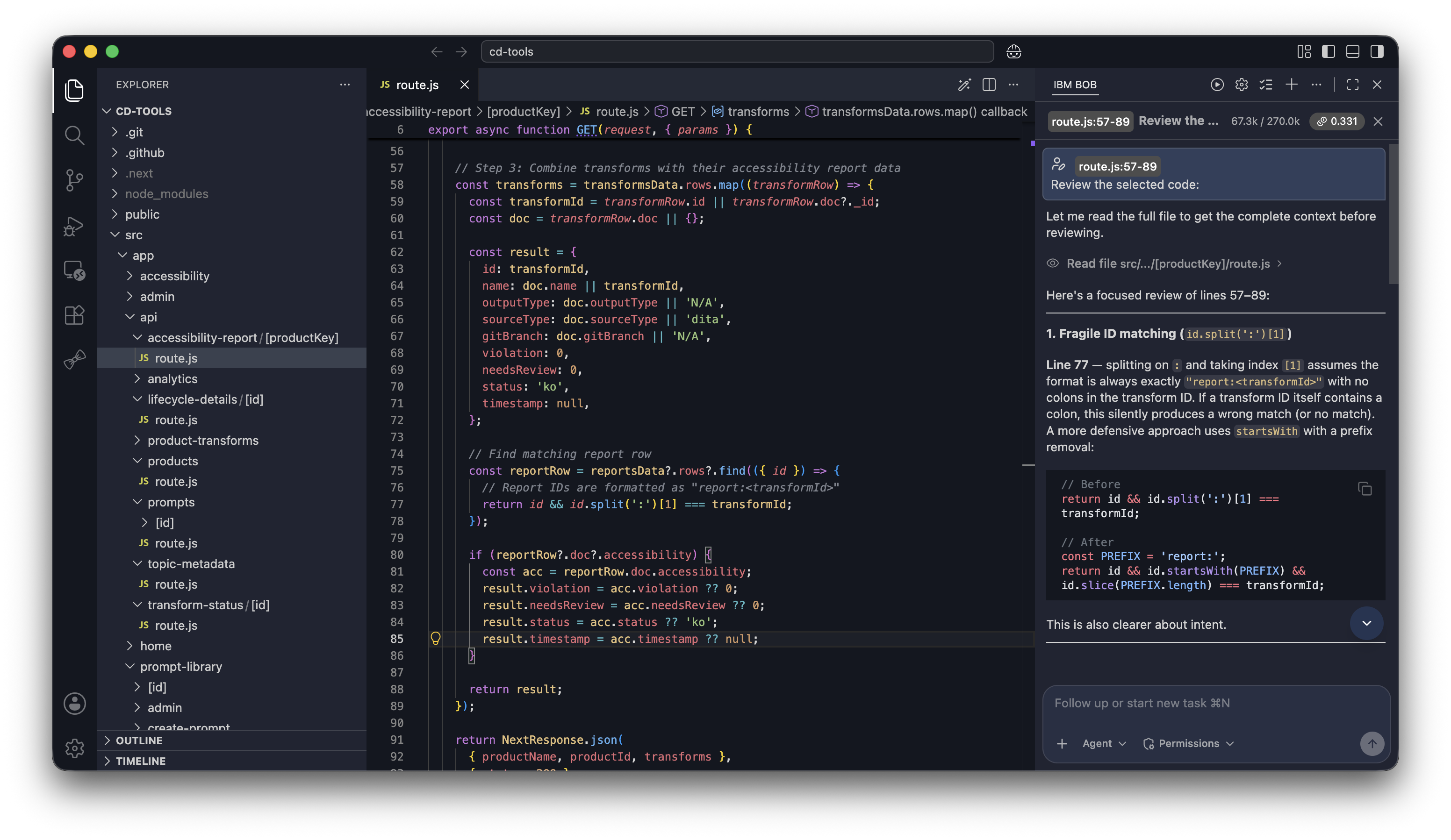
What you can do with Bob
Generate code
Turn natural language into working code.
Refactor and debug
Clean up and fix existing code automatically.
Write and update docs
Generate or update documentation from code.
Answer questions
Ask about your codebase and get explanations.
Automate tasks
Streamline repetitive workflows and boilerplate.
Create files and projects
Scaffold new files and entire projects.
Track usage and optimize
Monitor Bobcoin consumption and productivity with Bobalytics.
Start building with Bob
Experience the power of AI-assisted development.
Key capabilities
Specialized modes
Bob adapts to your specific needs with three purpose-built modes that optimize behavior for different development scenarios:
Agent mode
Write, modify, and refactor code with precision.
Ask mode
Get answers and explanations about your codebase.
Plan mode
Plan and design before implementation.
Each mode is designed for specific development scenarios, allowing you to work efficiently without adjusting your communication style.
The more specific your request, the better the results. "Create a React component that displays a sortable table of user data" works better than "Make me a table component."
Subagents
Bob can break complex tasks into parallel workstreams by spawning specialized subagents. Each subagent runs in a focused mode, for example one subagent planning while another implements, and you approve each spawn before it starts.
Powerful tools
Bob comes with a comprehensive set of tools that extend capabilities beyond text generation:
File access
Read and write files directly within your project.
Run commands
Run terminal or shell commands from within Bob.
External tools via MCP
Use external tools through the MCP (Model Context Protocol) framework.
These tools work together seamlessly, so you can accomplish complex tasks without switching between applications.
MCP (Model Context Protocol)
Model Context Protocol (MCP) extends Bob's capabilities with custom tools and integrations:
Understanding MCP
Learn how MCP works and its role in extending Bob's capabilities.
Server transports
Choose between local and remote deployment models for your MCP servers.
MCP server management
Add, configure, and remove MCP servers directly from the settings panel.
Bob Shell
Take Bob's capabilities beyond your editor with Bob Shell, bringing the same AI assistance to your terminal. Bob Shell provides intelligent support for command-line tasks with the same context awareness and reasoning-focused approach.
Run in your shell
Execute Bob tasks directly in your terminal environment.
Editor terminal support
Run Bob tasks inside terminal views of supported editors.
Getting started with Bob
Ready to begin your journey with Bob? Follow these steps to get up and running:
Install Bob
Get Bob installed on your system. For more information, see Installing Bob.
Learn best practices
Review the best practices guide to understand how to use Bob effectively. For more information, see Best practices for using Bob.
Review security guidelines
Consult the security guidelines to minimize potential security risks. For more information, see Security guidelines.
Start with something you are currently working on. Bob learns best when helping with real problems rather than hypothetical scenarios.
Next steps
Now that you understand what Bob can do, explore these resources to deepen your knowledge:
Chat interface
Learn how to interact with Bob's chat interface and core features.
Frequently asked questions
Find answers to common questions about Bob and how it works.
Modes
Learn about Bob's three specialized modes and when to use them.
Subagents
Learn how Bob uses subagents to tackle complex, parallel tasks.
Skills
Extend Bob with skills that add specialized knowledge and behavior.
Installing Bob
Get Bob installed on your system and start coding.
Best practices
Learn proven strategies for working effectively with Bob.