Next Edit
Get AI-powered code completions and automatic error fixes in your editor with Next Edit. Enable inline diff suggestions for faster, smarter coding.
What is Next Edit?
Get code completions and automatic error fixes as you work in your editor. When enabled, Bob analyzes your code context and suggests edits through an inline diff interface.
Key capabilities
- Code completions: Suggests the next change to your codebase based on your code context, intent, and logic.
- Automatic error fixes: Detects diagnostic errors near your cursor and suggests fixes.
- Inline diff interface: Displays suggestions with jump decorations and gutter indicators.
Enabling Next Edit
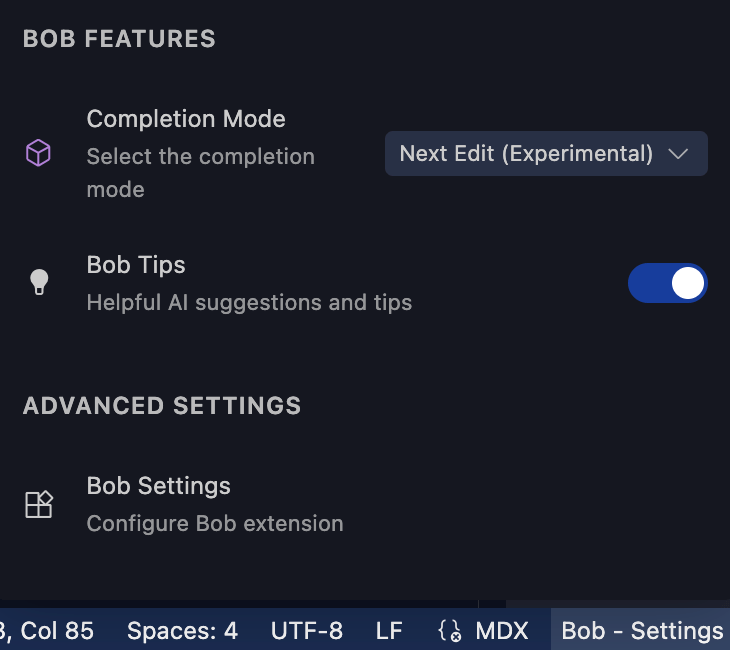
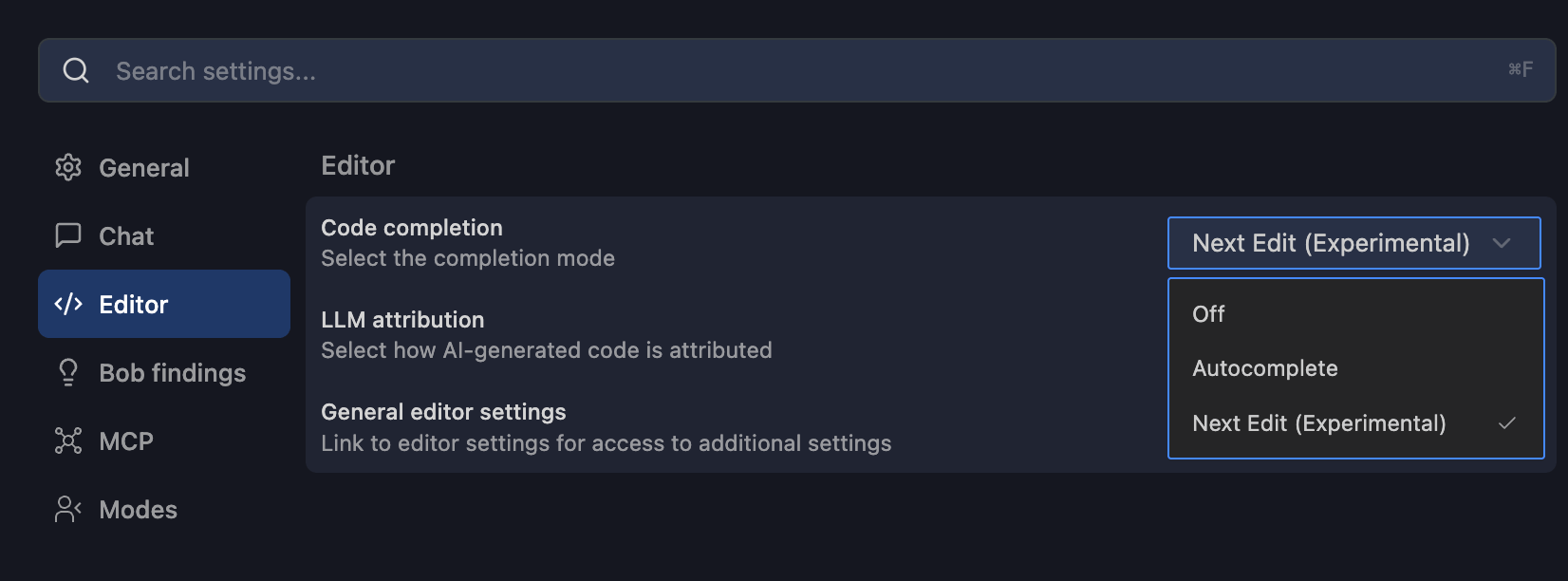
You can enable Next Edit through Quick Settings or the Settings menu.
From Quick Settings
Click Bob - Settings in the status bar at the bottom of IBM Bob.
Select Next Edit (Experimental) from the Completion Mode dropdown.
From Settings menu
Click the settings gear icon in the Bob panel.
Select the Editor tab.
Select Next Edit (Experimental) from the Completion Mode dropdown.
Using Next Edit
Position your cursor in your code where you want to make changes.
Wait for Bob to analyze the context and display a suggestion as an inline diff.
Review the suggested changes shown with visual indicators in the editor gutter.
Accept the suggestion using the keyboard shortcut or by clicking the accept indicator, or reject it to continue coding.
Learn more about the Next Edit feature in the Get code predictions tutorial.
Code actions
Access Bob's AI-powered code actions that provide quick fixes, refactorings, and code explanations directly in the Bob IDE through lightbulb icons and context menus.
Code reviews
Get AI-powered code reviews directly in your IDE. Bob analyzes changes, validates issue coverage, and flags potential issues before you commit your work.