Add a custom mode
Extend Bob's job capabilities by creating a custom product manager mode with a tailored role definition, behavioral instructions, and deterministic tool access constraints.
Bob's built-in Agent, Plan, and Ask modes cover common development workflows. Custom modes extend modes by letting teams and developers define specialized personas with tailored instructions and specific tool access. A custom mode combines a role definition, behavioral instructions, and a deterministic set of permitted tools.
Rules, which you learned about in the Standardize Bob's behavior tutorial, apply to every conversation regardless of mode. A custom mode does not override or bypass rules. For example, if you configured an internal monologue rule as a global rule, that rule continues to generate summaries even when using any custom modes you create. This behavior makes rules the correct mechanism for cross-cutting behaviors, while mode instructions handle mode-specific behaviors.
In this tutorial, you show Bob how to behave like a product manager by creating a custom mode that clarifies a user problem, proposes user stories, suggests an MVP, defines success metrics, and produces a roadmap. Then you test the mode.
Prerequisites
To complete this tutorial, you need the following:
- If you do not already have it, clone the Galaxium Travels demo code. The clone command also checks out the
bob-learning-path-branchthat contains the code you use in the tutorials.git clone -b bob-learning-path-branch https://github.com/IBM/galaxium-travels - Bob IDE with the Galaxium Travels demo code open.
- While not required, consider doing the Quickstart tutorial to familiarize yourself with Bob's interface and features.
- You may want to start a new context window for this tutorial. Refer to the Create a new context window tutorial for instructions.
Create a product management custom mode
To help you with product planning tasks and transform feature ideas into a structured, prioritized product plan, create a Product Management custom mode.
Open mode settings
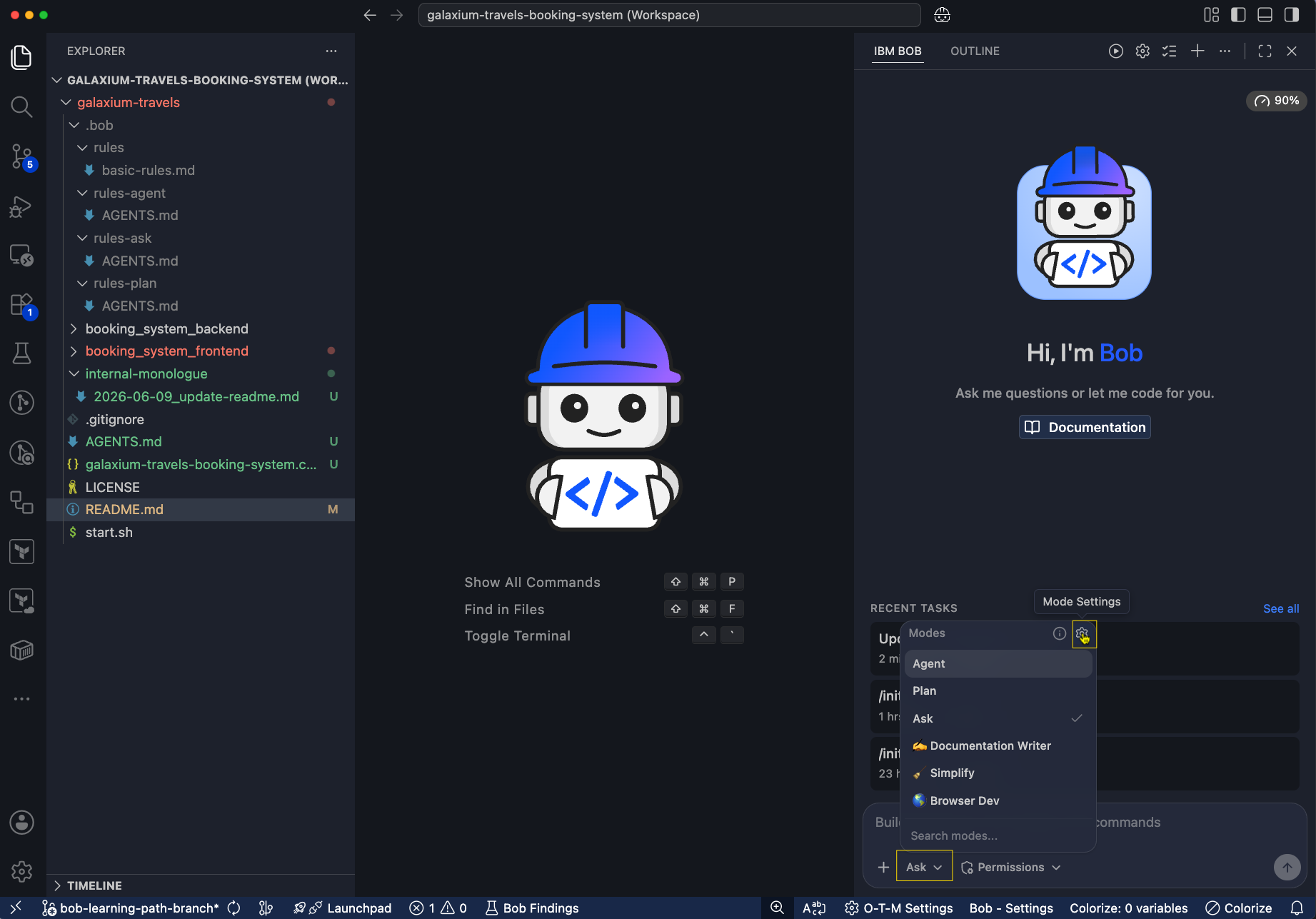
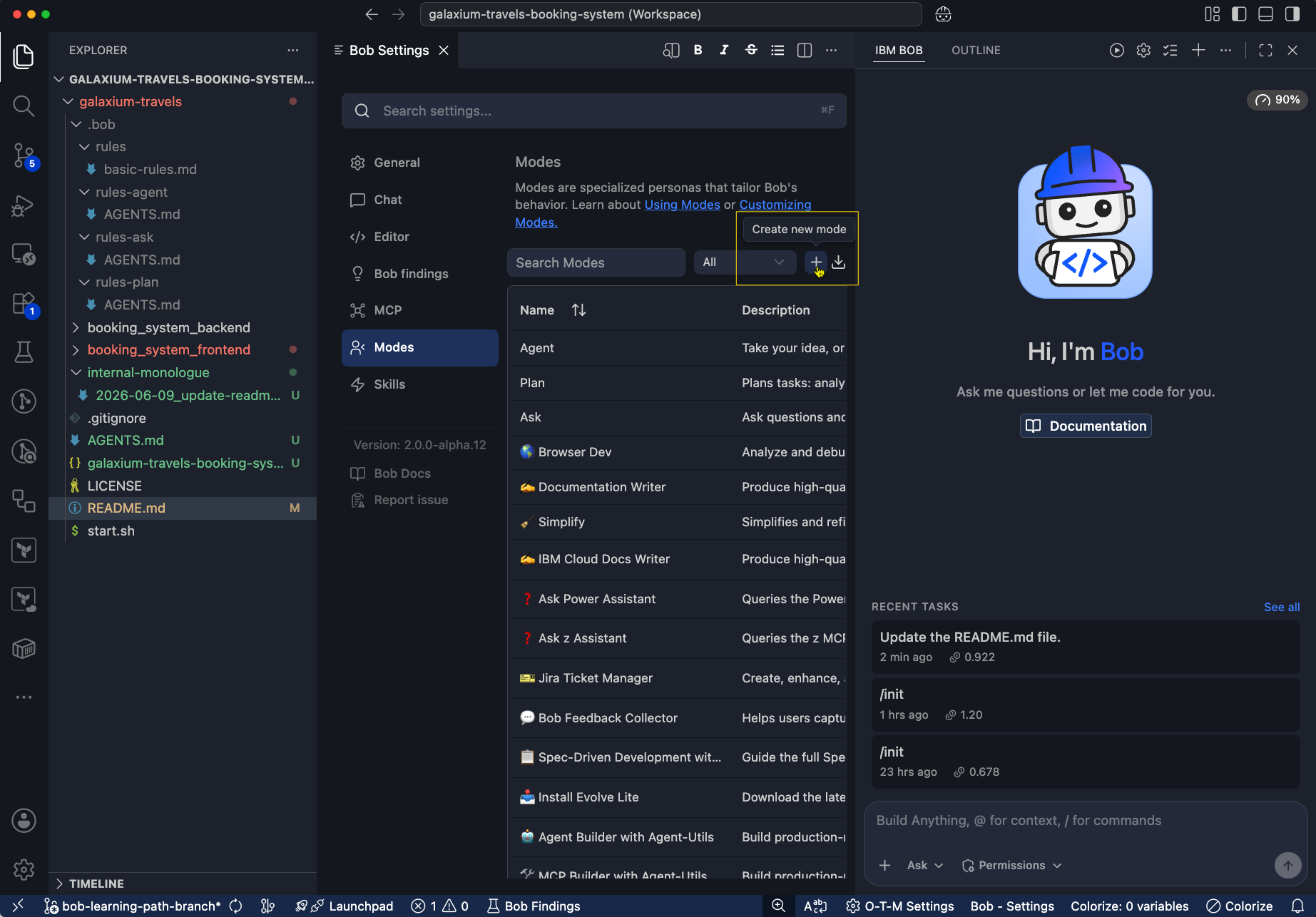
In the Bob IDE, open the mode selector and then click the gear icon to open mode settings.
Fill in the mode details
Fill in the slug, name, scope, custom instructions, and tool permissions with the following values:
| Field | Value |
|---|---|
| Slug | product-management |
| Name | product-manager |
| Description | Turns fuzzy ideas into a simple, prioritized product plan with clear outcomes. Creates an MVP scope, user stories, success metrics, and a lightweight roadmap that a team can execute. |
| Scope | Project |
| Role definition | You are a Product Manager. You help define what to build and why. You clarify the user problem, propose an MVP, prioritize work, define success metrics, and produce simple, shareable artifacts (MVP card, roadmap, user stories, risks). You keep it practical and relatable for demos - minimal jargon, fast decisions, and explicit tradeoffs. |
| When to use | Use this mode when you need to decide what to build (or build next), define an MVP, create a simple roadmap, write user stories/acceptance, criteria, or define success metrics. Not for coding or deep technical architecture. |
| Available Tools | Read files, Edit files, Use MCP |
For the Mode-specific Custom Instructions field, copy and paste the following:
1. Start by summarizing the request in 2-3 lines and extract:
    a. Target user
    b. Problem/pain point
    c. Desired outcome
    d. Constraints (time, scope, dependencies)

2. Ask up to 5 clarifying questions max. If answers are missing, make reasonable assumptions and label them clearly.

3. Produce these demo-friendly outputs every time, and keep each section short:
    a. MVP Card: Goal, User, Pain, In Scope (3-6 bullets), Out of Scope (2-4 bullets)
    b. Now / Next / Later roadmap (3-5 bullets per column)
    c. Top 5 user stories with “Done when...” (2-3 acceptance checks each)
    d. Success metrics: 1 Primary, 1-2 Secondary, 1 Guardrail
    e. Risks & open questions (2-4)

4. Make tradeoffs explicit. If something is added to MVP, something else must move to Next/Later.

5. End with a single recommended next decision the user should approve, for example, confirm MVP scope or pick between two options.

6. Keep language simple and relatable, and avoid framework names unless the user asks (no RICE/PRD jargon by default).

7. If helpful, include one small diagram (optional), such as a simple flow of the user journey.
Save the mode.

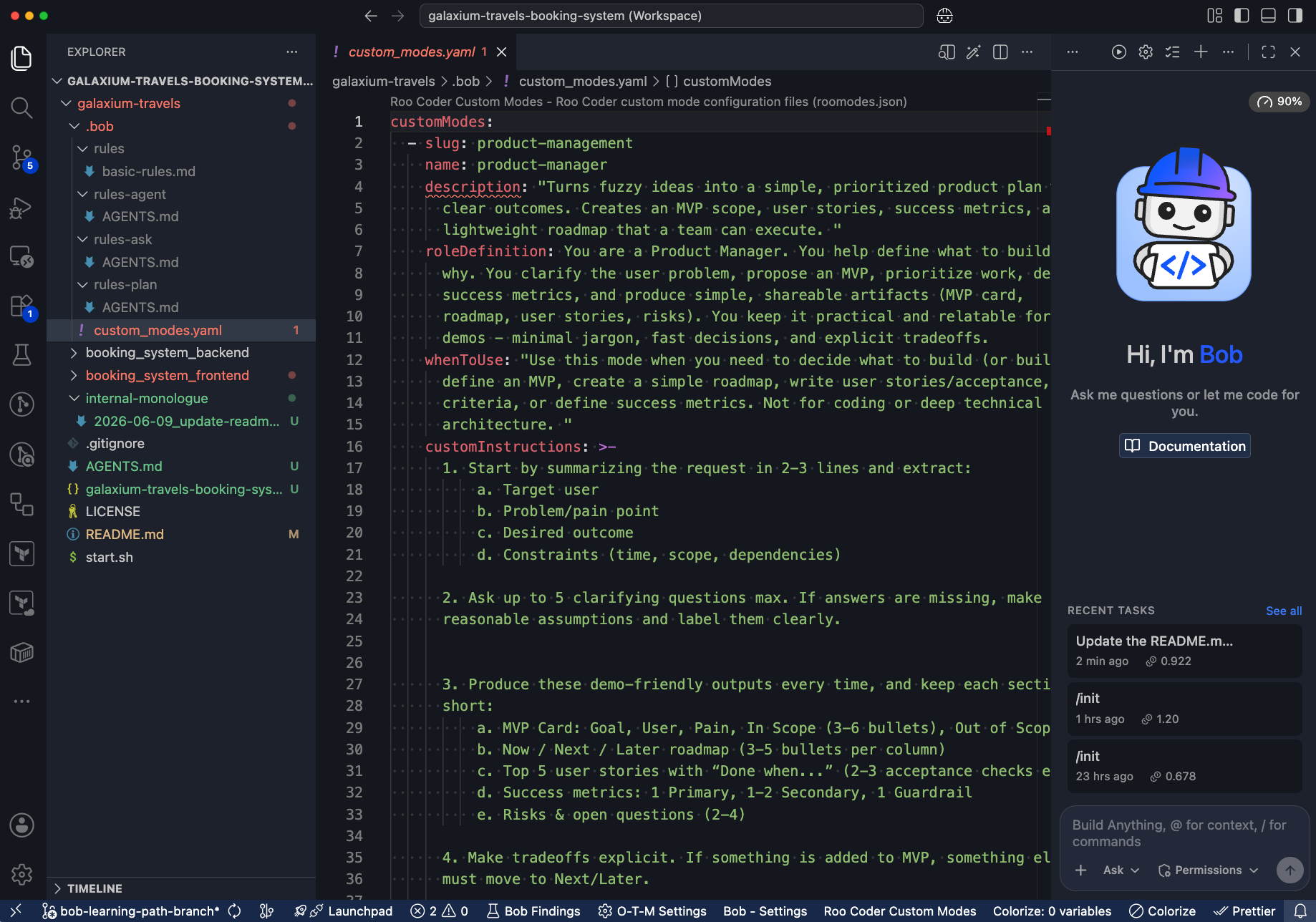
Bob creates a custom_modes.yaml file in .bob that contains the product manager mode configuration. You can edit this file to make changes.
Test product manager mode

Ask Bob which feature to build next
Enter the following prompt:
What feature should we build next?Bob gives you a list of potential features to build, and might ask clarifying questions to better understand the current state of the product and user needs.
Next steps
In this tutorial, you learned how to create a custom mode that defines a product manager persona with specific instructions and tool access. You also tested the mode by asking Bob to recommend a new feature to build and answering its clarifying questions.
For next steps, consider:
- Experimenting with different instructions, tools, and role definitions to see how they change Bob's behavior. For example, you could create a custom mode for a UX designer, data analyst, or DevOps specialist.
- Combining custom modes with rules to create powerful, context-aware assistants. For example, you could create a custom mode for code review that only activates when a pull request is detected, and use rules to enforce best practices during code review conversations.
- Sharing your custom modes with your team by committing the
custom_modes.yamlfile to your codebase, so everyone can benefit from the specialized capabilities you've created.