Use literate coding to generate code from comments
Use literate coding to have Bob generate code from natural language comments. Bob helps you write precise, context-aware code modifications directly in your editor.
Literate coding lets you write code with AI assistance directly inside your editor. Instead of switching to a chat window or writing long prompts, you type instructions in plain language right where the code should go. Bob then generates the implementation for you in context and shows a diff of the changes.
Literate coding is effective for the following modifications:
- Adding wrapper logic: Retry mechanisms, error handling, or logging around existing code.
- Refactoring specific blocks: Modifying targeted sections while preserving surrounding logic.
- Quick targeted modifications: Precise changes to specific functions without affecting broader structure. For complex modifications that affect multiple functions or files, consider using the I'm Bob agentic chat interface to create a Plan.
In this tutorial, you fix an intermittent timeout by wrapping a code block with retry logic.
Prerequisites
To complete this tutorial, you need the following:
- Clone the Galaxium
Travels demo code. The clone command
also checks out the
bob-learning-path-branchthat contains the code you use in the tutorials.git clone -b bob-learning-path-branch https://github.com/IBM/galaxium-travels - Bob IDE with the Galaxium Travels demo code open.
- You have run
/initin the Bob agentic chat interface to initialize Bob and allow it to gather context from the codebase. Refer to the Start a project tutorial if you have not done this yet. - While not required, consider doing the Quickstart tutorial to familiarize yourself with Bob's interface and features.
- You may want to start a new context window for this tutorial. Refer to the Create a new context window tutorial for instructions.
Use literate coding
The Galaxium Travels back end is unreliable and occasionally gets timeout errors. Instead of rewriting the code from scratch, you can use literate coding to wrap the specific block of code with retry logic.
Open the file
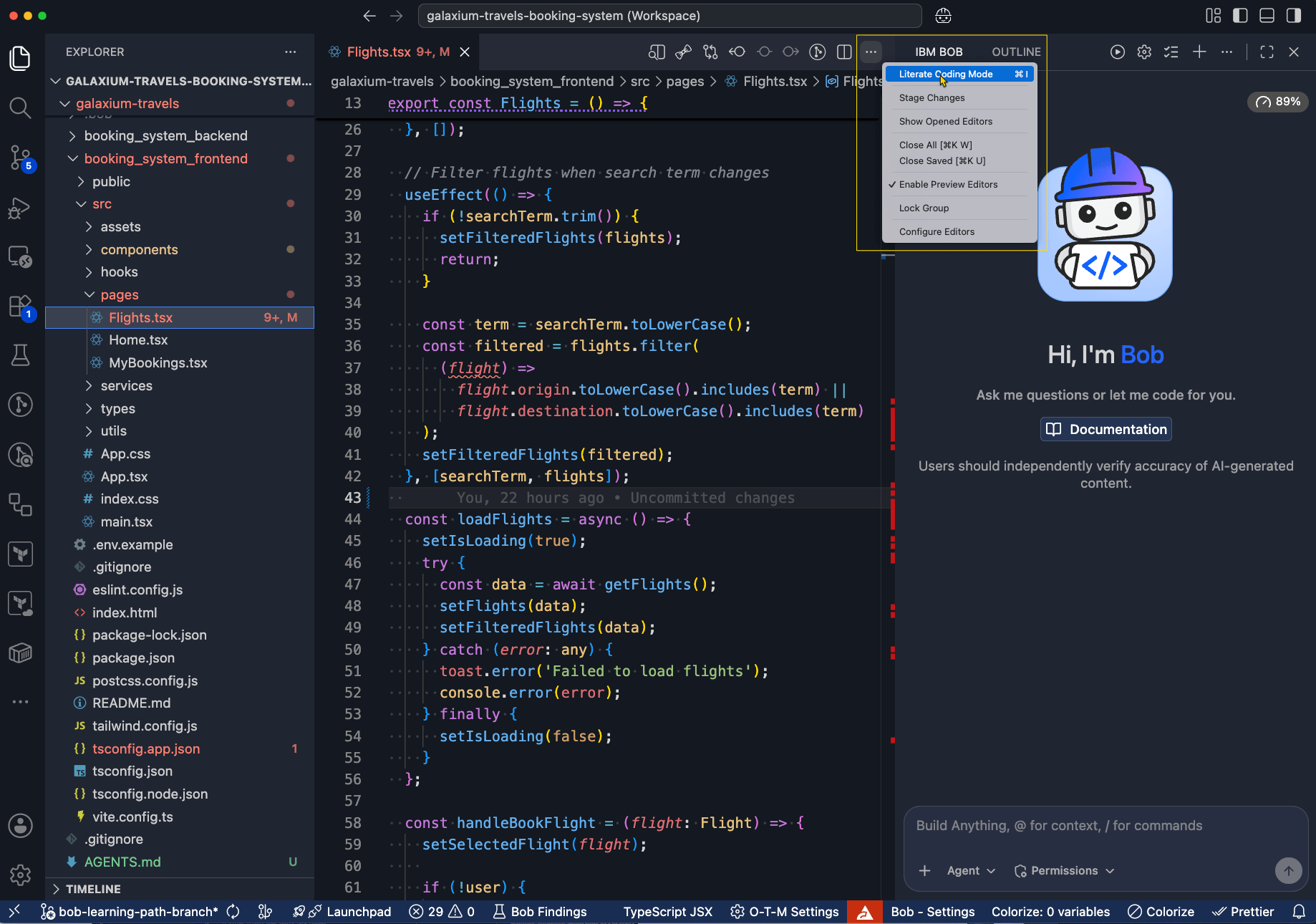
Open the booking_system_frontend/src/pages/Flights.tsx file.
Position your cursor
Click into line 43.
Write your instruction
Enter the following natural language instruction to describe the desired change on line 43:
The backend is unreliable at times. We need a retry logic here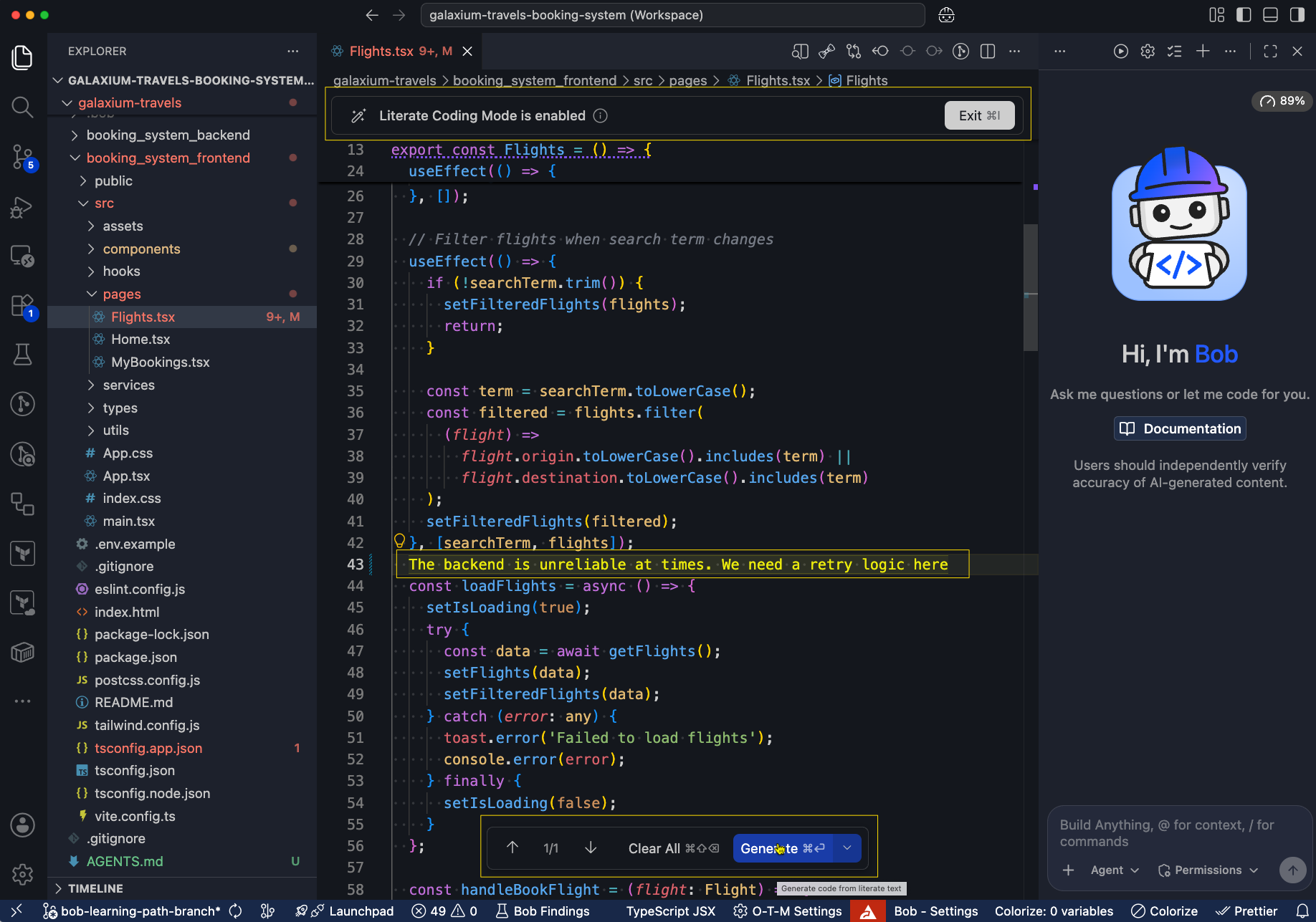
Generate the code
Click Generate to produce the modifications.
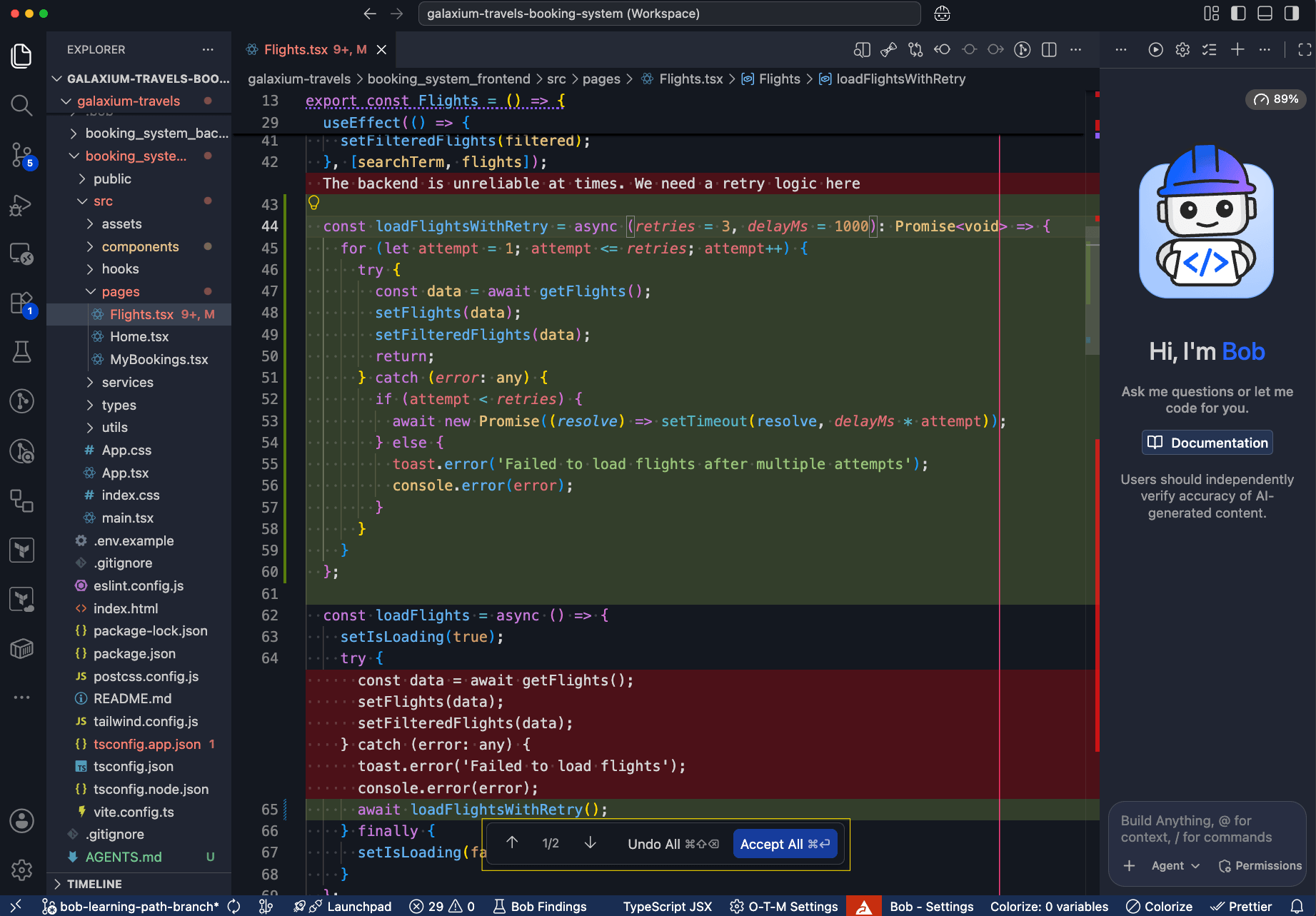
Bob presents changes in a diff view interface. The highlighted red text shows what code is removed and the highlighted green text shows what code Bob adds.
Accept the changes
Review the changes and click Accept All to apply them.
You have added a retry loop to resolve timeout errors in the Galaxium Travels web application.
Next steps
In this tutorial, you learned how literate coding lets you use precise, natural language-driven code modifications. Literate code shows you a code diff so that you can review code before accepting the changes.
Advance to Plan and implement complex features to learn about the agentic chat interface, which is the primary interface for complex, multi-step development tasks in Bob.
Create a commit and pull request with Bob
Use Bob to create a branch, stage changes, generate a commit message, push to your repository, and open a pull request.
AI pair programming with IBM Bob
Use Bob as an AI pair-programming assistant to build a FastAPI To-Do API, working from requirements to a plan, generated code, tests, and documentation.