快速入门
使用 IBM Bob 为现有的 Node.js Express API 构建 Web UI 并在 Docker 中运行,同时利用模式、审批工作流和 agentic 迭代。
简介
IBM Bob 是一个 AI software development lifecycle (SDLC) 合作伙伴,可增强你现有的工作流。在本教程中,你将从管理待办事项列表的现有 TypeScript Express REST API 开始,并使用 Bob 在其上构建 Web UI。你无需具备 Node.js、React 或 TypeScript 经验即可完成本教程。
你将学习的关键功能
你将使用 Bob 的以下三个核心功能来构建 UI:
- 模式:针对特定任务定制 Bob 行为的专业角色。
- 审批工作流:在 Bob 计划运行之前对其进行审查。
- 与 Bob 迭代:与 Bob 进行对话,在看到结果后完善工作。
先决条件
要完成本教程,你需要以下内容:
IBM Bob IDE
在你的计算机上下载并安装 IBM Bob 应用程序。Bob 是一个独立的 IDE 应用程序,而不是扩展。
Docker
使用 Docker 运行容器化构建。Docker 可避免你必须在本地安装 Node.js 或依赖项。如果你没有 Docker,也可以使用 Podman 等替代容器管理工具。
Git
安装 Git 以克隆示例存储库。Bob 使用 Git 直接从 IDE 克隆存储库。
设置你的工作区
启动 IBM Bob 并克隆示例存储库以开始使用 Node.js 应用程序。
启动 IBM Bob
在你的计算机上启动 IBM Bob 应用程序。
打开 Bob 聊天界面
如果 Bob 聊天界面不可见,请单击导航栏旁边的 Bob 图标,或使用快捷键 Option + Command + B(Mac)或 Ctrl + Alt + B(Windows)将其打开。

你通过在输入字段中键入自然语言请求来与 Bob 交互。
克隆教程存储库
使用以下步骤克隆包含示例应用程序的存储库:
- 单击 Bob IDE 面板左上角的文件图标。
- 单击 Clone Repository,然后粘贴以下存储库 URL。
- 当 Bob 询问你要将存储库保存在哪里时,选择任意你喜欢的位置。
https://github.com/IBM/bob-demo.git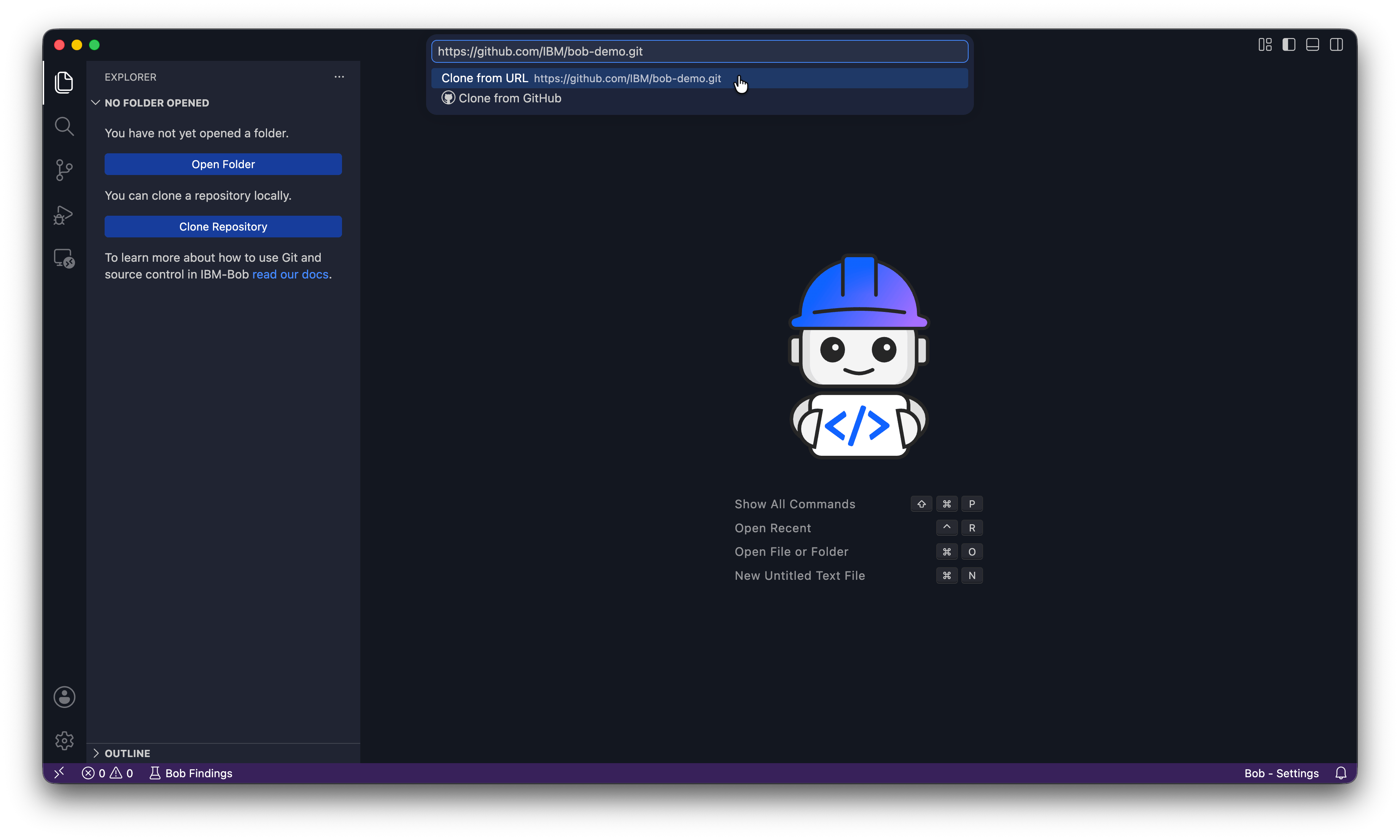
打开存储库
当 Bob 询问你是否要打开克隆的存储库时,单击 Open。如果 Bob 询问“你信任文件夹中文件的作者吗?”,请单击 Yes, I trust the authors。
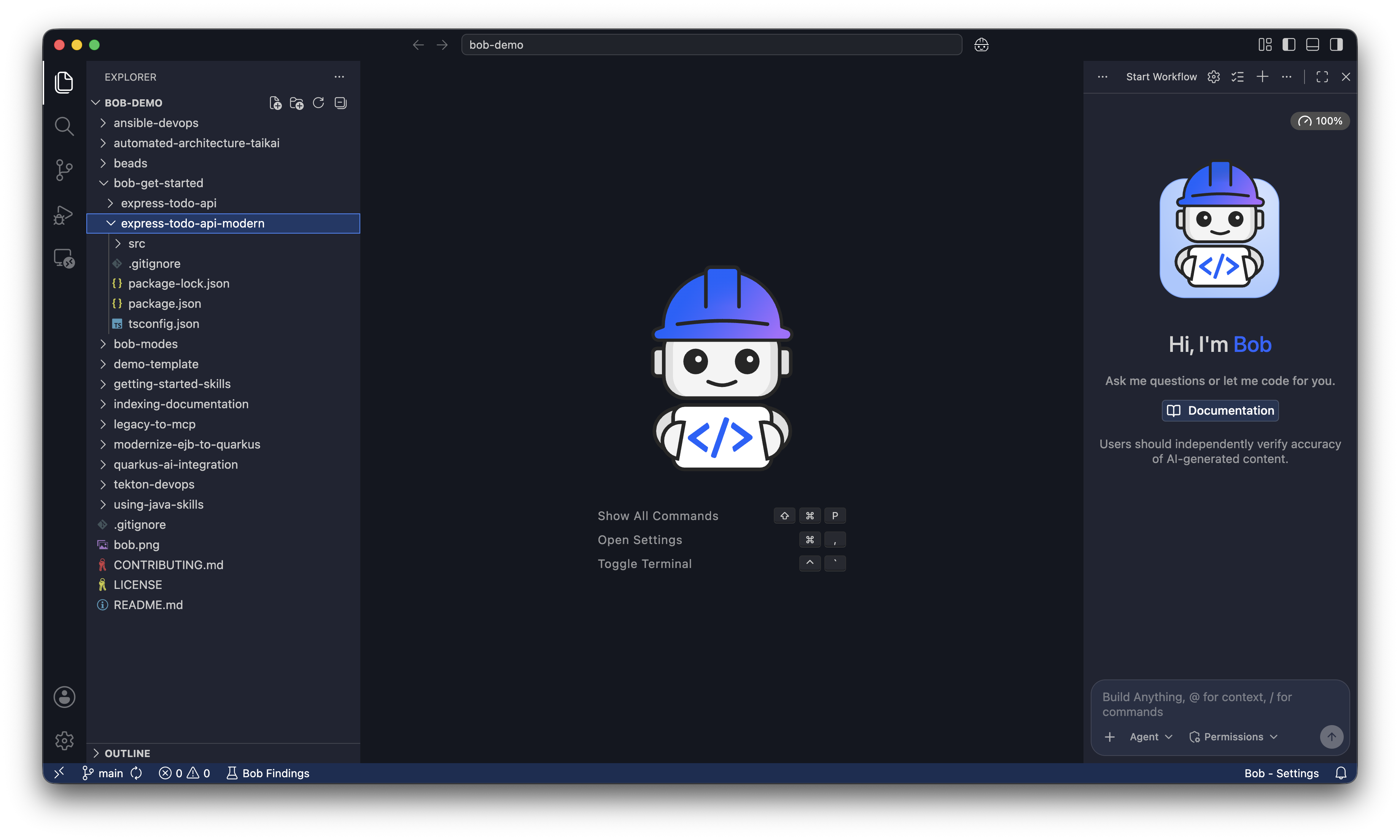
资源管理器显示项目文件,Bob 聊天面板在侧面打开。 你将从 bob-get-started/express-todo-api-modern 文件夹中工作。
导航到项目
在 Bob 聊天输入框中,运行以下提示以导航到 bob-get-started/express-todo-api-modern 文件夹。Bob 会请求你允许它运行切换目录命令。单击 Run 让 Bob 更改目录:
Navigate to the bob-get-started/express-todo-api-modern folder.
Bob 会确认它已导航到该目录并描述其中的内容。
使用 Ask 模式探索 API
在更改任何内容之前,切换到 Bob 的 Ask 模式。单击聊天输入字段左侧的模式选择器下拉菜单并选择 Ask,或在聊天中键入 /ask。
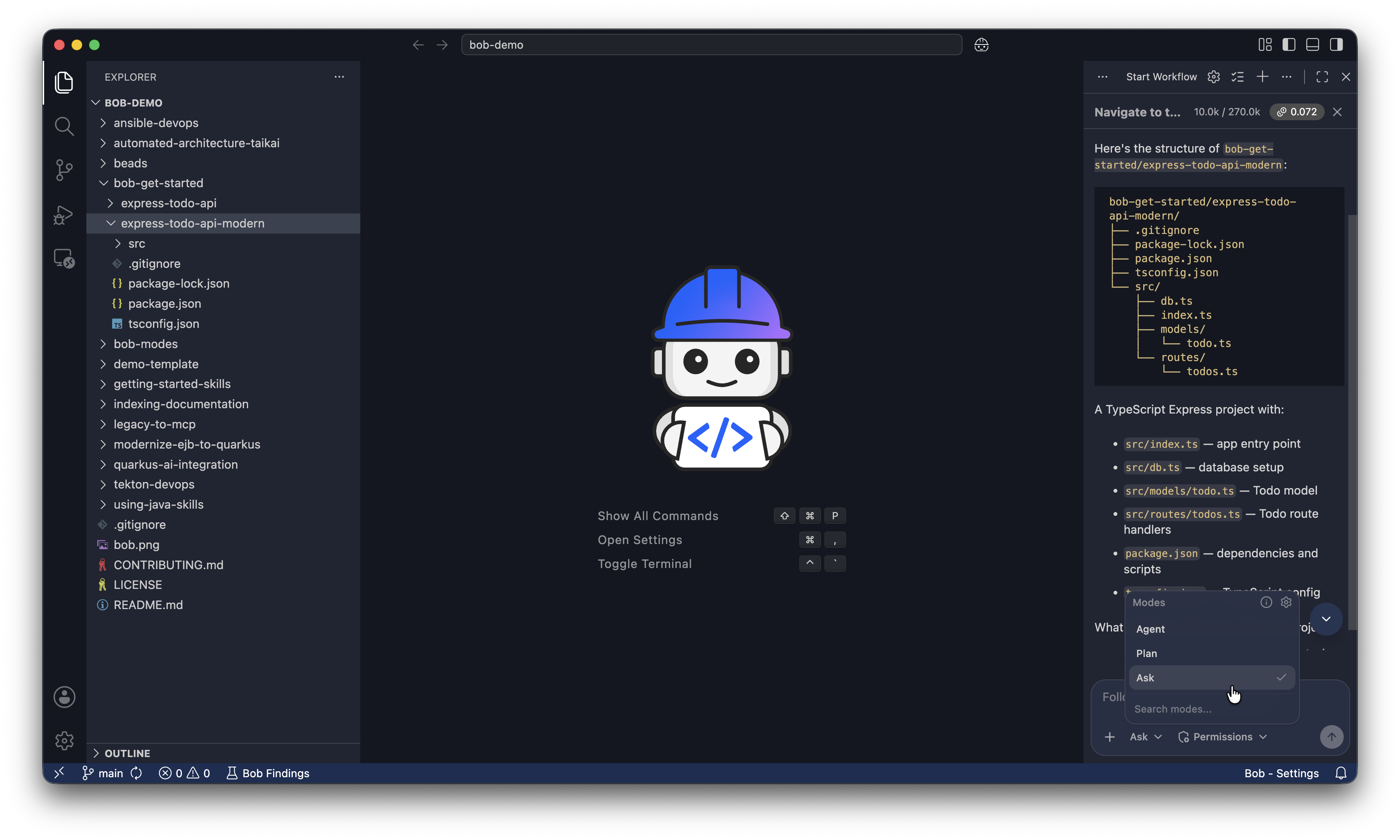
Ask 模式只能读取文件,不能写入文件。Bob 在此模式下无法更改任何内容,因此探索是安全的。模式 是 Bob 尊重最小权限原则的一种方式。
要求 Bob 解释项目:
Explain what this application does and how it works.Bob 通读项目并解释它的作用。
在 Docker 中运行 API
切换到 Agent 模式
在模式选择器中选择 Agent,或在聊天中键入 /agent。Agent 模式允许 Bob 编写、修改和重构代码。Bob 在每次操作之前仍会请求权限。

在你的项目中初始化 Bob
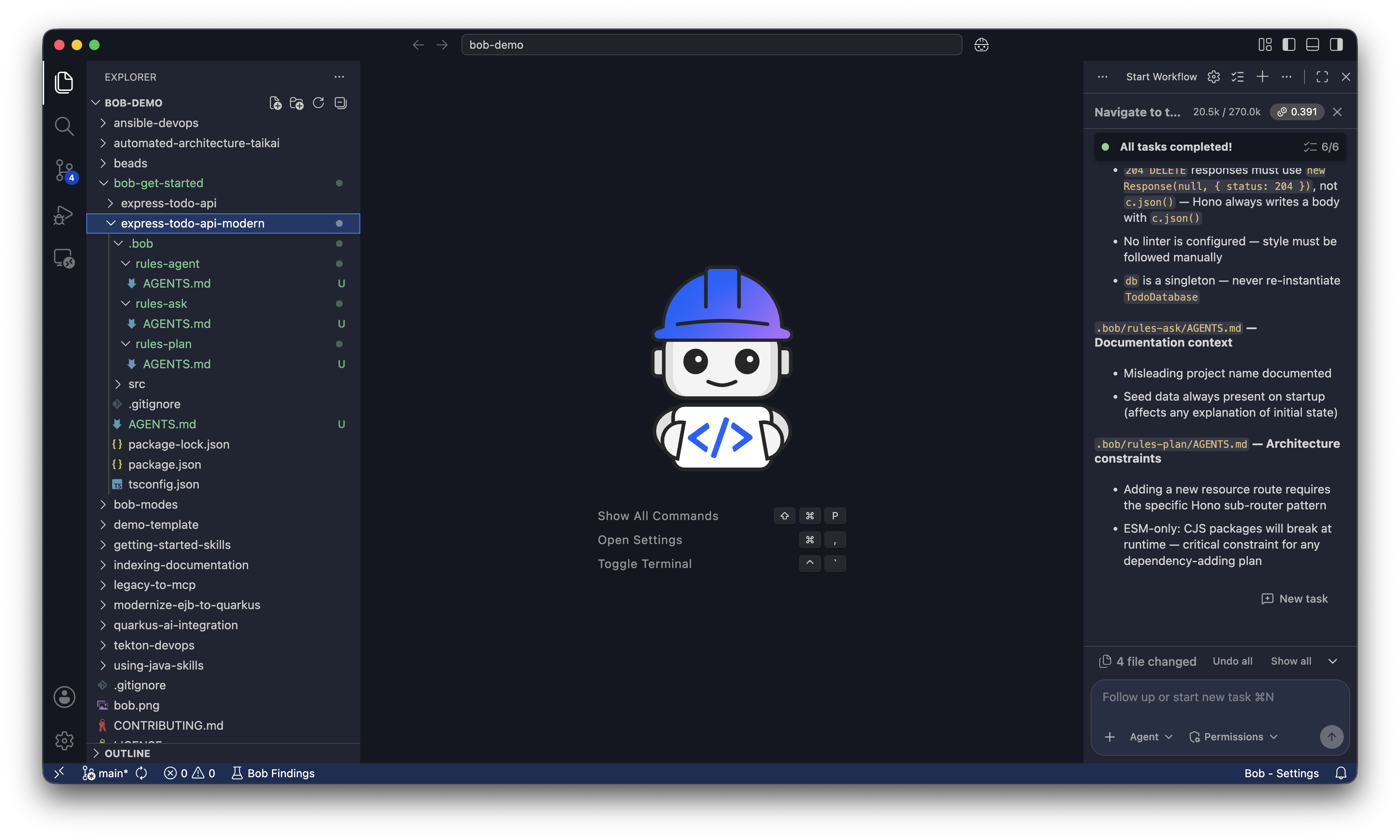
在 Bob 聊天面板中运行 /init,让 Bob 创建根 AGENTS.md 文件和规则 AGENTS.md 文件。
根 AGENTS.md 文件告诉 Bob 项目的整体结构、约定和目标,以便 Bob 可以编写适合你项目的代码。没有它,Bob 每次都会从头开始,因为 Bob 是 stateless 的。
.bob 中的规则文件是 Bob 为其每个模式创建 AGENTS.md 的地方:Agent、Plan 和 Ask。每个模式都有一组不同的规则来指导 Bob 在该模式下的行为。
/initBob 请求创建 AGENTS.md 文件的权限。单击 Approve todo tools for task 创建这些文件。Bob 创建所有 AGENTS.md 文件后,你会看到以下文件:
在 Docker 中构建并运行 API
要求 Bob 创建 Dockerfile 并启动容器:
Create a Dockerfile for this API using Node 22 and run it on port 3000.
Don't install dependencies locally.
The Dockerfile handles all installations.

Once you create the Dockerfile, build the image and start the container.
Bob 要求你批准构建镜像和启动容器。单击 Approve todo tools for task 和 Approve edit tools for task。
由于你只启用了 Read 的自动批准,Bob 会请求你允许它运行 Execute 命令。单击 I understand the risks,然后单击 Approve,让 Bob 为你执行命令。
Bob 可能会发现 NPM 问题,例如以下问题。批准 Bob 提出的修复:
The build failed because there's no package-lock.json file.
I need to update the Dockerfile to use npm install instead of npm ci: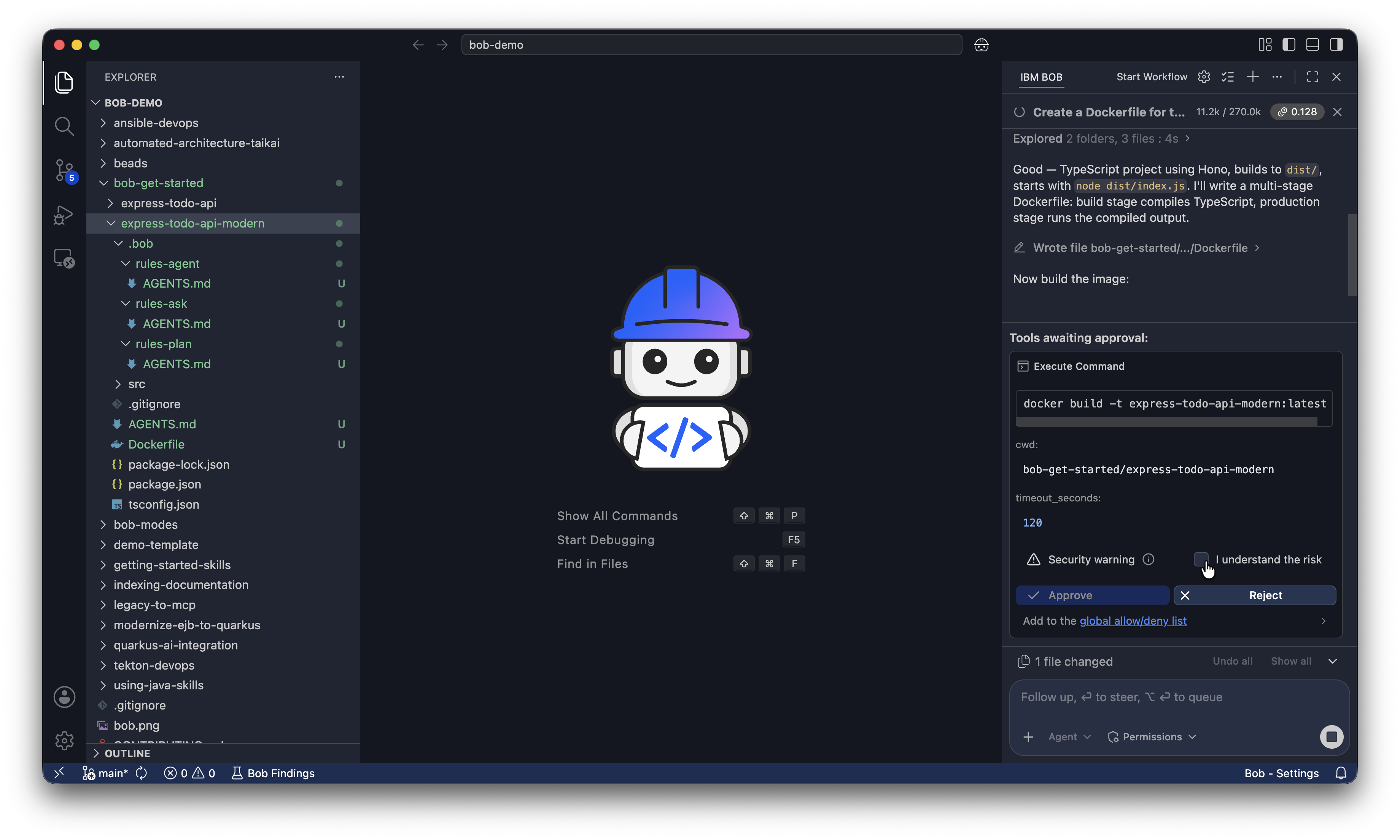
API 现在正在运行并可用。
向待办事项列表添加任务
要测试 API,请将以下命令直接粘贴到 Bob 聊天面板中。此命令通过向 API 发出 POST 请求来向待办事项列表添加任务:
curl -X POST http://localhost:3000/api/todos \
  -H "Content-Type: application/json" \
  -d '{"title": "Build a web UI"}'

  Give me the response in a table format with two columns: Field and Value
Bob 会向你显示响应,确认你可以使用 API 向待办事项列表添加任务。Bob 会显示类似下面的响应:
| Field | Value |
|---|---|
| id | a9d24d57-d242-4ed6-96f7-bb9f3f8c39a8 |
| title | Build a web UI |
| completed | false |
| createdAt | 2026-06-08T17:22:39.643Z |
停止并删除容器
要求 Bob 停止并删除容器。你将在下一节中使用 Web UI 构建新容器:
Stop and remove the running container and Docker image.使用 Bob 规划 Web UI
开始新的对话
单击聊天界面顶部的加号以开始新的对话,并清空上下文窗口。
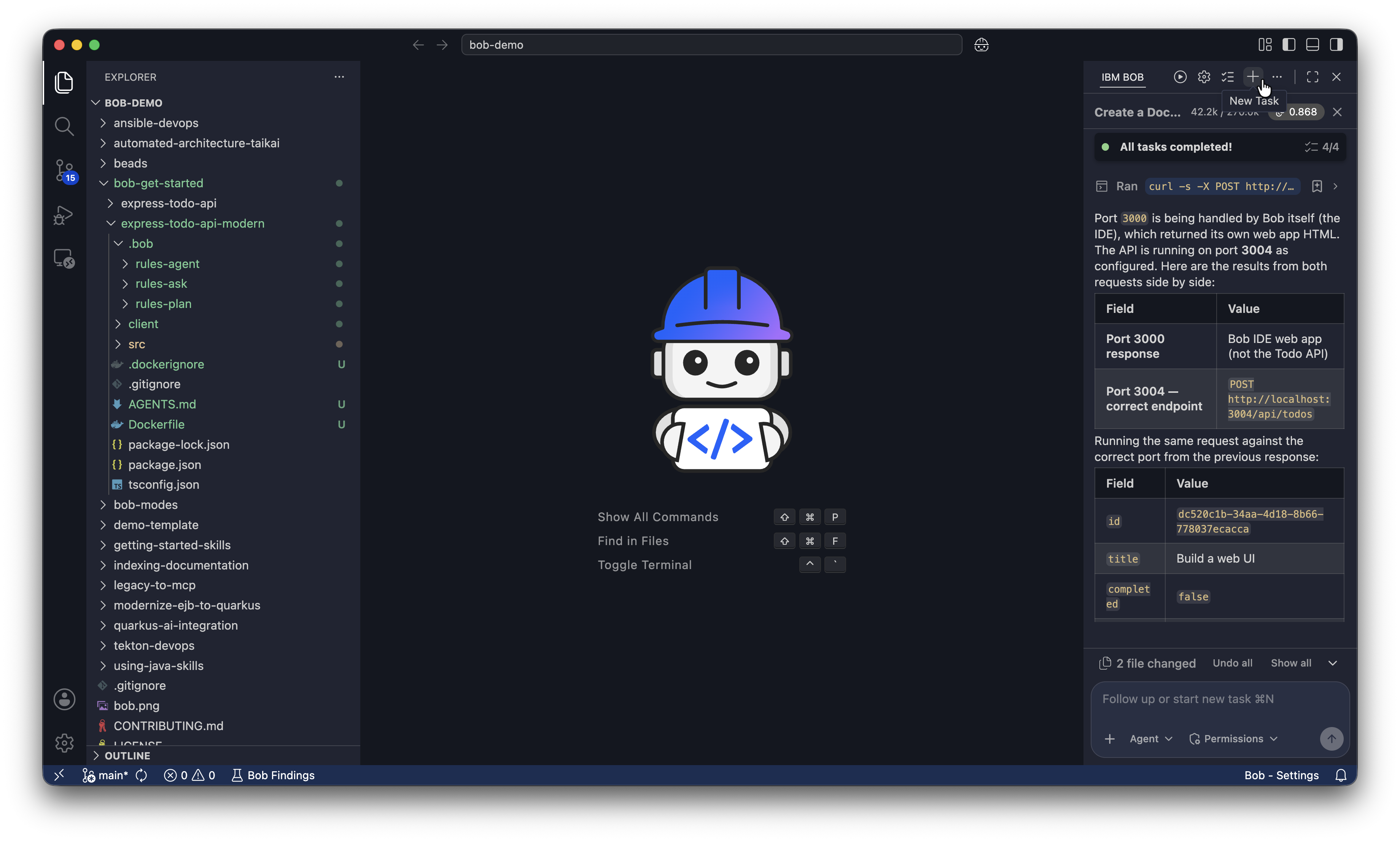
开始新的对话会清空上下文窗口,这样可以:
- 防止之前的规划讨论消耗你的 token budget。
- 让实现上下文聚焦于已批准的计划。
- 降低 Bob 混淆规划指令和实现指令的风险。
规划 Web UI
在修改代码之前,切换到 Plan 模式,以便 Bob 可以创建有关如何构建 Web UI 的计划。单击模式选择器下拉菜单并选择 Plan,或在聊天中键入 /plan。
要求 Bob 将 Web UI 规划为 express-todo-api-modern 项目目录中的 ui-plan.md。Bob 会请求使用 skill tools 和 subagents 来创建计划。单击 Approve skill tools for task 允许 Bob 使用 skill tools,单击 Approve subagent tools for task 允许 Bob 使用 subagents,单击 Approve edit tools for task 保存计划。
Make a plan to add a React TypeScript web UI to this todo app using Vite.

The UI needs to:
- Display all existing tasks fetched from GET /api/todos
- Add new tasks using POST /api/todos
- Mark tasks as complete or incomplete using PUT /api/todos/:id

Constraints:
- Do not modify the existing Express API or its endpoints
- Serve both the API and React frontend from a single Docker container using a multi-stage build
- Keep the implementation simple: no authentication, no client-side routing, no external state management library
- run `npm install` inside the Dockerfile

Save the plan to a file named `ui-plan.md` in the express-todo-api-modern project directory.
Bob 可能会提出澄清问题,以便更好地理解需求。你可以回答这些问题,或者告诉 Bob 按它建议的方式进行。
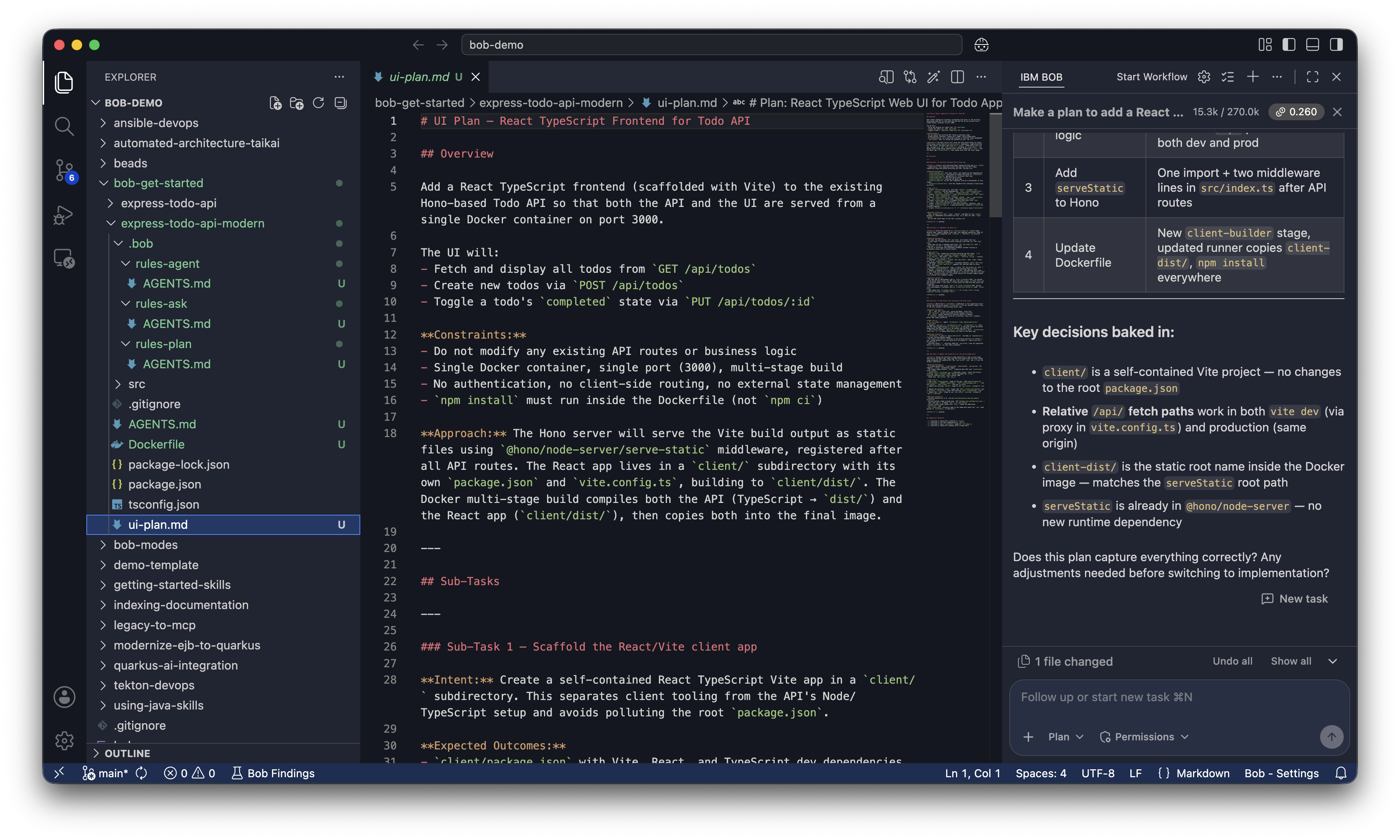
在告诉 Bob 运行它之前查看计划。单击资源管理器中的 ui-plan.md 将其打开。
使用 Bob 构建 Web UI
要求 Bob 构建 Web UI
通过单击模式选择器下拉菜单并选择 Agent,或在聊天中键入 /agent,将 Bob 切换到 Agent 模式。
要求 Bob 构建 UI、将其容器化并运行它:
Implement the plan `ui-plan.md` you outlined to build the web UI
containerize the application with Docker, and run it.
Don't install dependencies locally. The Dockerfile handles all installations.
Bob 会读取 ui-plan.md,向你显示它将创建或更改的文件,然后构建并启动容器。在 Bob 的工具请求中单击 Approve。
由于你只启用了 Read 的自动批准,Bob 会请求你允许它运行 Execute 命令。单击 I understand the risks,然后单击 Approve,让 Bob 为你执行命令。
修复构建失败
有时,Bob 首次尝试构建 UI 和容器可能会由于代码或 Dockerfile 中的错误而失败。Bob 会向你显示错误消息并提出修复建议。开发迭代是使用 Bob 编写代码的一部分。
以下是你可能遇到的一些可能的错误和修复:
The build failed because `npm ci` requires a package-lock.json file.
Let me update the Dockerfile to use `npm install` instead.
Vite can't find index.html. The issue is that index.html is in the `public` directory
but Vite expects it in the root. Let me move it to the correct location.在浏览器中打开 Web UI
容器运行后,Bob 会给你一个已完成内容的摘要。
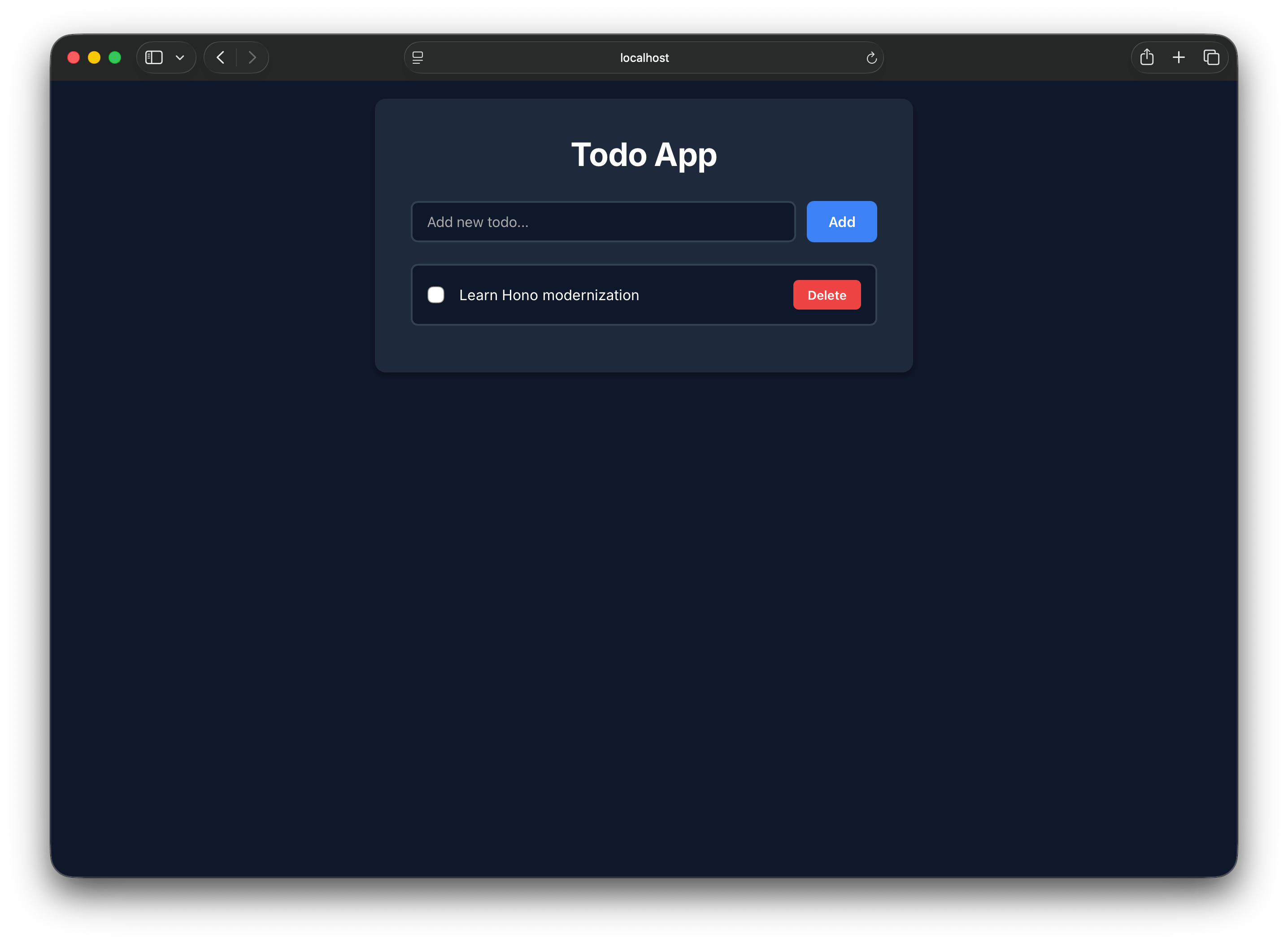
在浏览器中打开 http://localhost:3000/index.html。尝试使用输入字段添加新任务,以确认 API 正常工作。
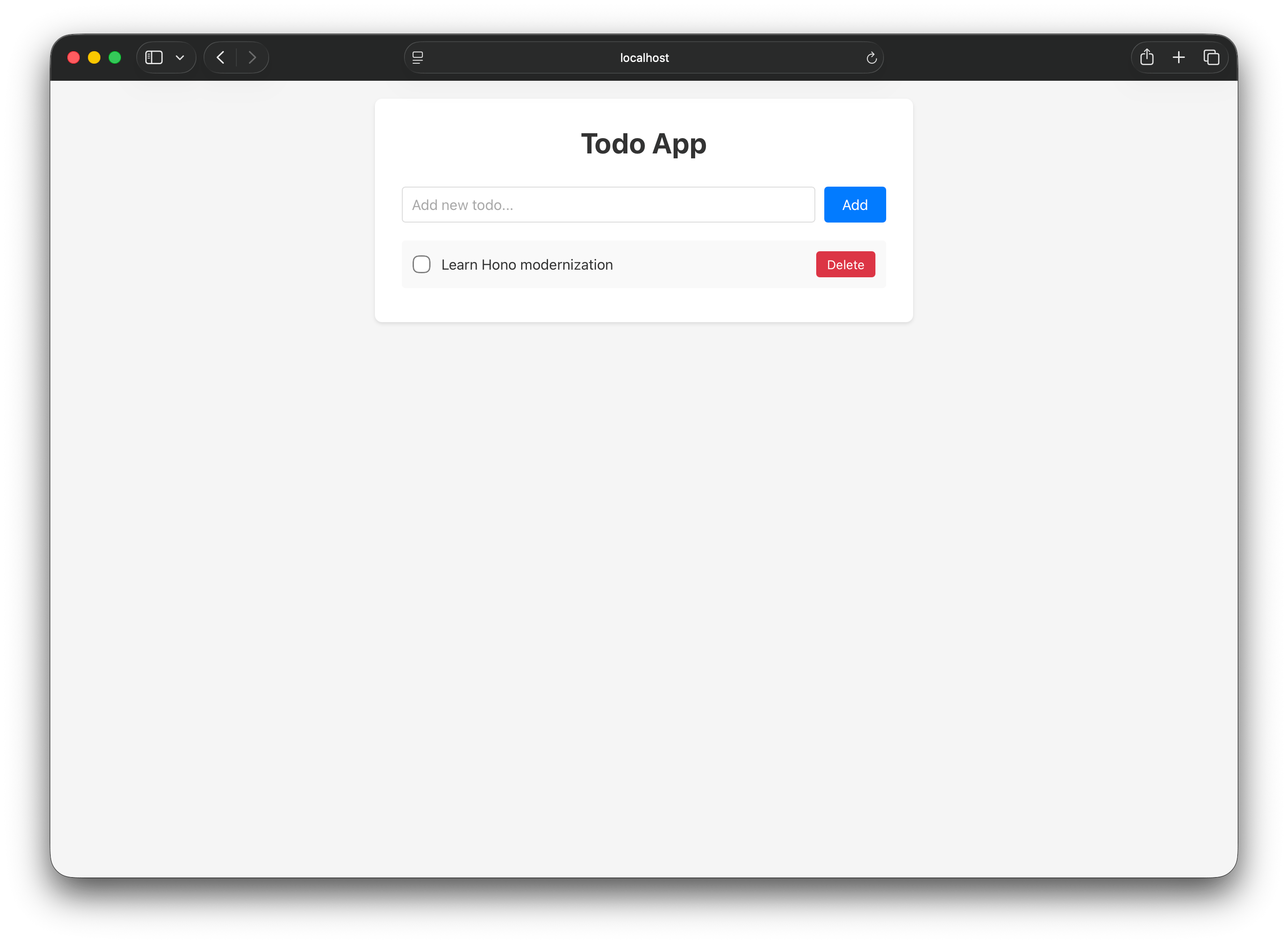
自定义 UI
要求 Bob 更新样式
通过告诉 Bob 你想要什么字体、字体颜色和背景颜色来个性化 UI。以下是你可以选择的一些字体:
- Inter: Web 应用程序的热门选择
- Georgia: 经典衬线字体,温暖且易读
- JetBrains Mono: 具有开发者工具感觉的等宽字体
选择字体颜色和背景颜色。在 Bob 聊天面板中,使用自然语言描述你的选择。以下是自定义示例:
Update the styles of the web UI.
Use the Inter font.
Dark navy background.
White text.
Bob 会建议对 React 组件样式进行编辑。查看差异并单击 Save 接受更改。
重建容器并查看你的更改
正在运行的容器仍在提供旧样式。要求 Bob 重建并重新启动它,以便你可以看到你的更改:
Rebuild the Docker image and restart the container with the updated styles.在浏览器中刷新 http://localhost:3000/index.html 以查看更新后的设计。
由于此 API 将数据存储在内存中,因此当你重建 Docker 容器时,待办事项列表会重置为默认任务。在具有数据库的真实应用程序中,你的数据会在容器重建后继续保留。
清理
完成后,要求 Bob 停止并删除容器:
Stop and remove the running container and Docker image.Bob 会请求批准来运行这些命令,并在容器和镜像被删除后进行确认。
后续步骤
在本教程中,你使用 Bob 为现有 Express API 构建 Web UI 并在 Docker 中运行结果。你使用 Ask 模式安全地探索项目,使用 Plan 模式审查 Bob 的方法,使用 Agent 模式构建和自定义 UI,并使用审批工作流来控制每个更改。继续使用以下资源扩展你所学到的内容:
- 阅读 Bob 安全指南 以了解如何安全地使用 Bob 并保护你的代码和凭据。
- 阅读 Bob 最佳实践 以学习使用 Bob 的有效 prompting、模式选择和 workflow 策略。
- 探索 Bob 入门教程 以了解有关 Bob 功能的更多信息。
- 按照 现代化 Node.js Express API 教程练习在真实重构任务中使用 Bob。